

MEAL PHOTO LOGGING
A photo.
An estimate you can edit.
Take or choose a photo. Get estimated calories, protein, carbohydrates, and fat. Estimates can be off, so adjust before you save.
 Photo → Review → Save
AI HEALTH COACH FOR IPHONE
Log a meal with a photo.
See your day and one next step.
Ask Solara, your AI coach.
Free to download. Optional in-app subscriptions.
THE BIGGER PICTURE
A meal here. A walk there. A better night’s sleep. ZOSAVI brings the information you choose together, so your next step feels a little more obvious.
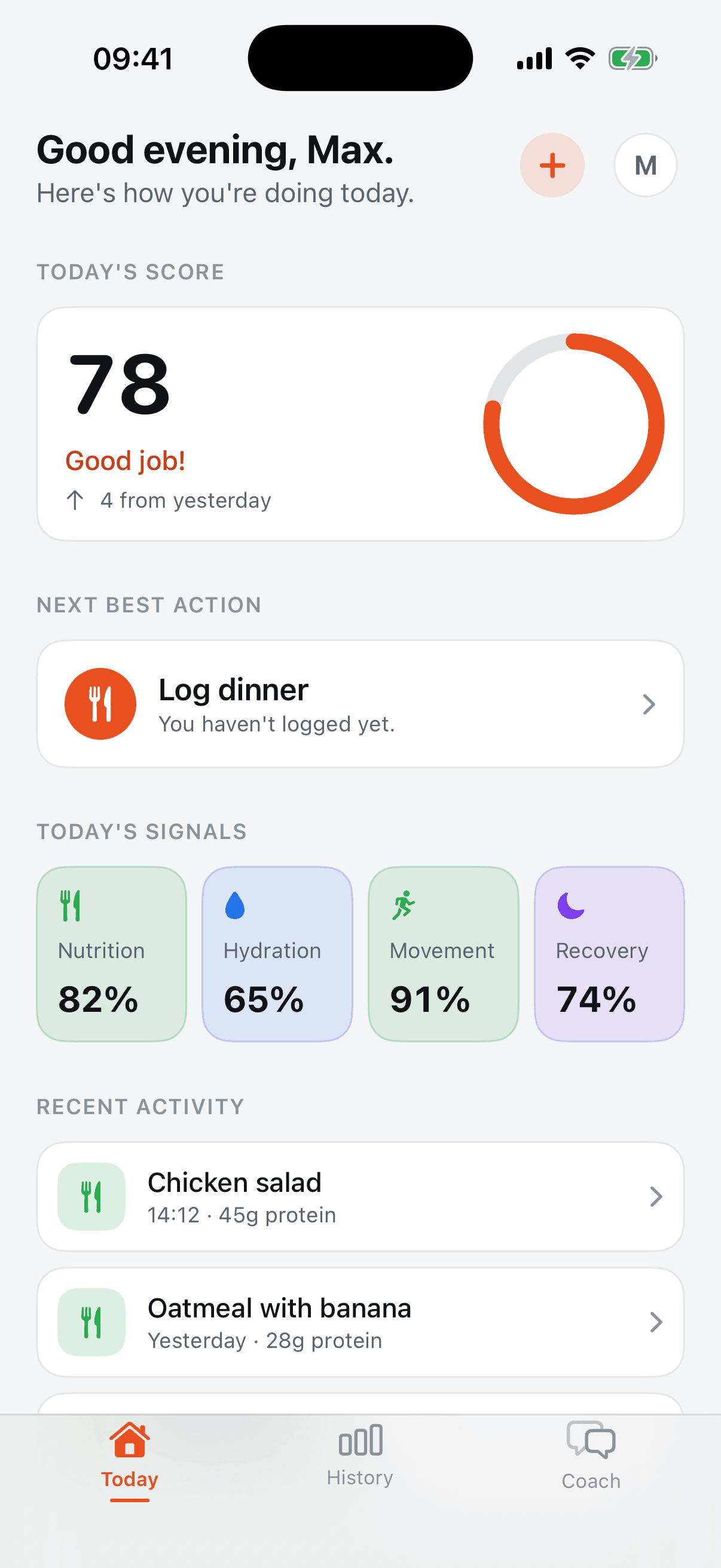
Food, movement, hydration, and recovery in one place.
One practical priority to help you move through today.
Log what you can. Build understanding at your own pace.
MEET YOUR EVERYDAY VIEW
A little context.
A more considered next move.
START WITH NOW
See the signals you choose to share in one daily summary. A suggested next action helps you decide where to start.
Nutrition · Hydration · Movement · RecoverySEE WHAT ADDS UP
Look back at recent activity and the information you have logged. See the patterns taking shape, one ordinary day at a time.
Recent activity · Patterns · Data coverage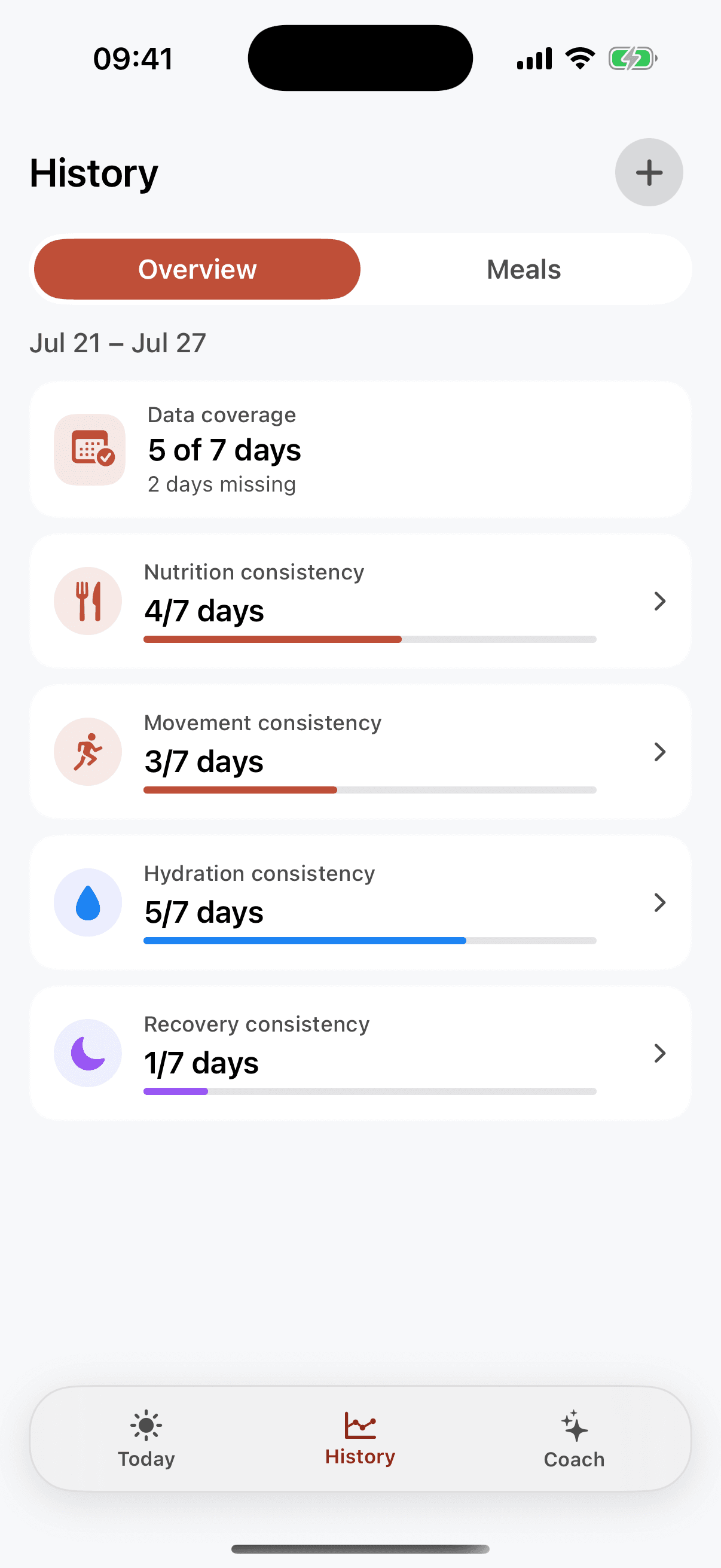
MADE FOR THE EVERYDAY
MEAL PHOTO LOGGING
Take or choose a photo. Get estimated calories, protein, carbohydrates, and fat. Estimates can be off, so adjust before you save.
Photo → Review → SaveMEET SOLARA
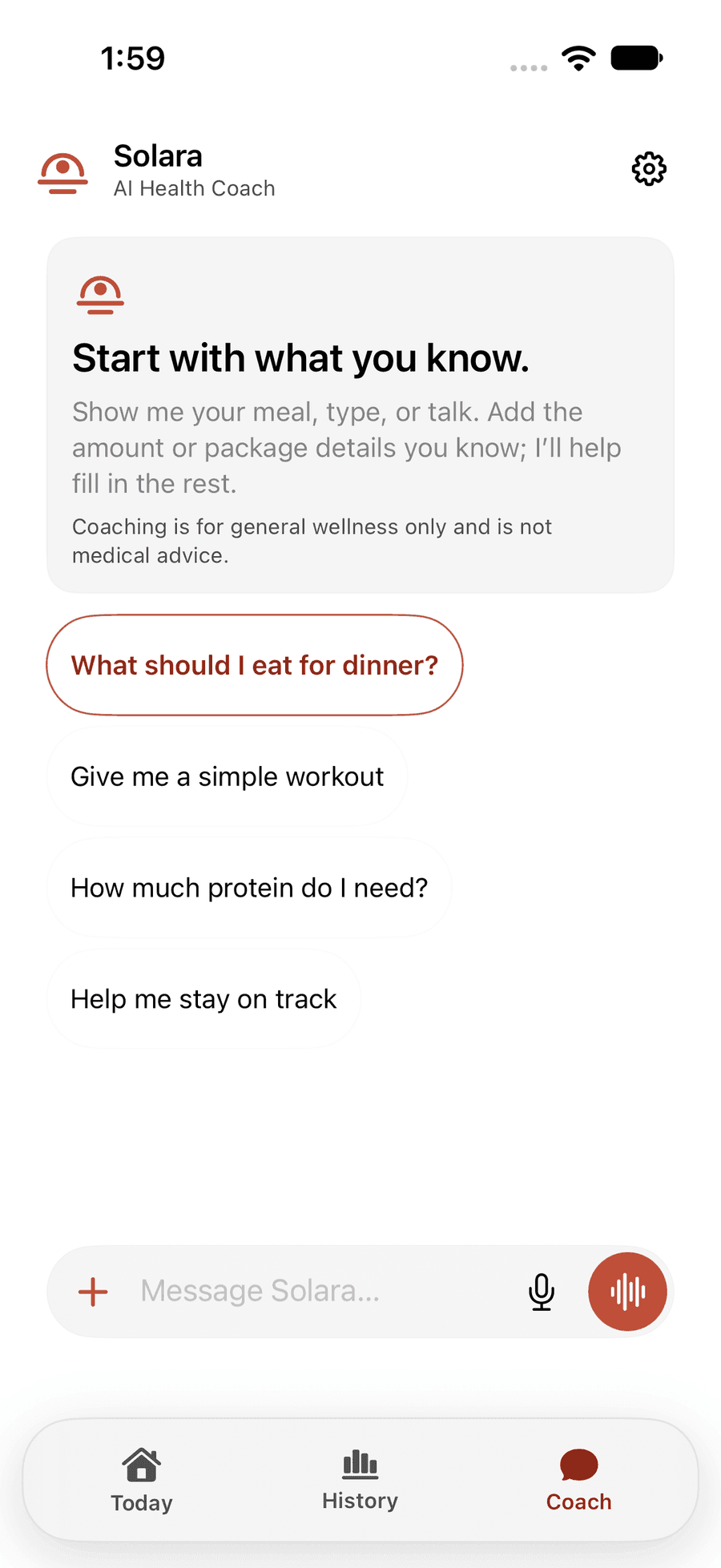
Solara is the optional AI coach inside ZOSAVI. Type, talk, or share a meal photo. Start with a question like “What should I eat for dinner?” or ask your own.
For general wellness only. Not medical advice.
PERSONAL MEANS PERSONAL
You choose what to connect with Apple Health. Review AI suggestions before using them. And request account deletion in the app.
Explore privacy and controlsZOSAVI brings your meals, movement, hydration, and recovery into a daily view. Today highlights a useful next action, History helps you explore recent patterns, and Solara offers optional AI coaching when you want more context.
ZOSAVI tracks too: you can log meals, water, weight, workouts, and check-ins. The Today screen then brings nutrition, hydration, movement, and recovery into one daily summary with a suggested next action. And Solara, the optional AI coach, is there when you have a question.
ZOSAVI is free to download and has a Free plan. Plus is an optional subscription with more Solara AI answers. In the U.S. App Store it is $9.99 per month or $99.99 per year, and it renews automatically until you cancel. You buy it in the app and Apple bills you. Prices can differ by country, and the app shows the current price before you buy.
See plans and pricingNo. Apple Health integration is optional, and you can log meals, water, weight, workouts, and check-ins manually. If you connect Apple Health, you choose which information to share.
Take or select a meal photo to receive an estimated nutrition breakdown. Review the foods, portions, and nutrition details, make any corrections, and save when you are ready. AI estimates can be incomplete or inaccurate.
ZOSAVI provides general wellness information. It does not diagnose or treat conditions, provide medical advice, or replace a qualified healthcare professional. Review AI suggestions before using them.
HERE’S TO YOUR NEXT STEP
For iPhone with iOS 18 or later.